It's been a while since my last overrun update and after GDC, getting an internship at Vigil Games, and moving, I haven't had the most time to work on the mod. I've had time to sit down again and am dedicated to keep production going on this project despite the fact that I won't have as much time anymore to work on it. Anyway, here's what I've been looking into and am trying to make happen (I'm getting more familiar with Uscript, and so it's easier to ACTUALLY do the things I've had in mind and implement them):
Completed tasks:
-Fixed 3rd person cam: generated through Uscript now, and doesn't clip through walls or have to be set up in Kismet for each individual level
-Changed player's and NPC's lighting environments: they now are reactive to light and become dark in shadow (very cool affect :))
-Also, did the same treatment to all of the pickups -- since they aren't full bright, the player will have to do a little searching for them, and they won't break the immersion (as evident in the earlier Resident Evil games).
-Made the interface simpler, took out the scoreboard, changed the interface color
-Changed the weapon range and strength of both guns in the mod -- one is now more of a shotgun, the other: more of a rapid-fire low-damage weapon
-Disabled respawning on pickups -- so player couldn't cheat and keep going over ammo pickups (also, would break immersion in the more realistic setting)
What's in the works:
-Have level auto-load at beginning (it still requires player input each time, and lets them fly around in "spectator" mode...unnecessary for our game)
-Replace streaming triggers with dynamic streaming volumes -- so the content can be loaded while the player is playing, rather than having to wait it all out at once
-Adding on the previous: could create a simple loading UI scene so that player knows at least that the game hasn't crashed ;)
-Splash screen/UI background for level select screen (different from the main game selection logo)...will have to wait until the game is polished to get some good screens for a collage
Pipe dreams?:
-Have guns keep same amount of ammo that player died with at respawn
-Get custom animations for character and enemies so that they don't look awkard when running and can have a melee attack; also, body language adds so much extra information to the atmosphere that dialogue alone can't cover
-More dialogue??-- would have to get same voice actors again
-Create a custom front-end and loading screen?
As anyone could decipher from this information -- the mod is still in need of a serious amount of work. I am almost done with the major design edits, and would like to now focus on finishing up my level.
Sunday, April 26, 2009

Tuesday, March 3, 2009
Mines WIP 2
I have been doing intensive work on my portion of the mod (getting a custom character, weapon and pickups into the game -- through UScript -- scripting events, writing materials, and texturing my objects. I have also been placing other team member's assets and been giving general advice to the other level designers. Credit goes to James Caskey, for the nice character model, and Julia Smith, for creating assets for me to place in the mines area. Here is are some screens of my area's progress (the mines area):


Monday, February 23, 2009
Rebuilding a Motorcycle
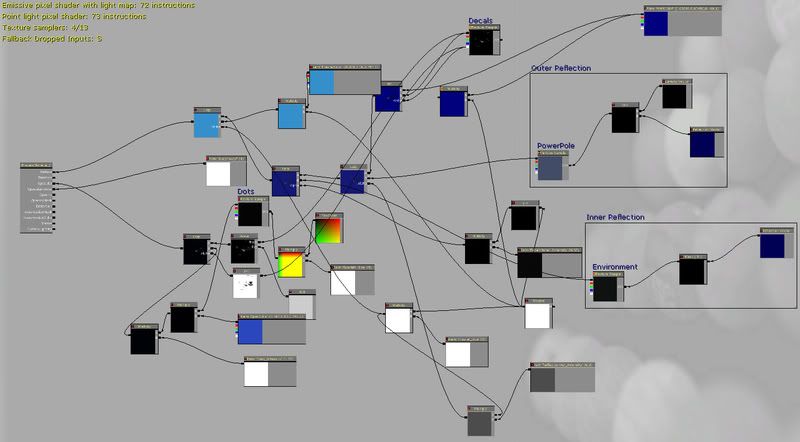
I had done a model of a Yamaha R6 a while back and was pretty satisfied with it. I have gotten positive comments from people on forums who like it, but where saying that the geometry was weird. I went back to the model, which has a horrendous amount of unnecessary detail (this was back when I was first learning 3D modeling). I took the bike apart, piece by piece, and optimized the edge flow and poly count. The original tri count was around 61K, now it's down to 14.3K...and also looks better :). I wasn't happy enough, yet, so I imported it into Unreal and created a custom carpaint shader, because most car paints seen in FPS games aren't the best. Here's the shading network I developed:
I would like to maybe use this model in a level or have it as a custom vehicle, but I don't think I want to get into that yet.
I would like to maybe use this model in a level or have it as a custom vehicle, but I don't think I want to get into that yet.
Monday, February 16, 2009
Prefabs with Included Kismet
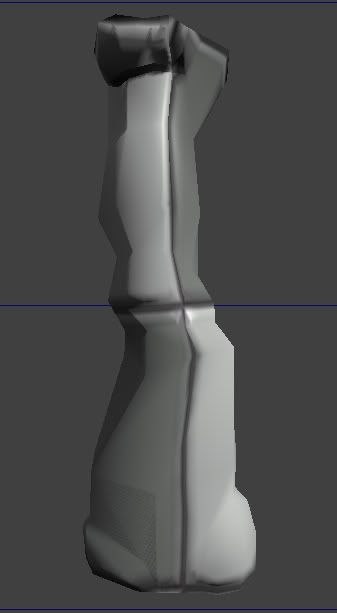
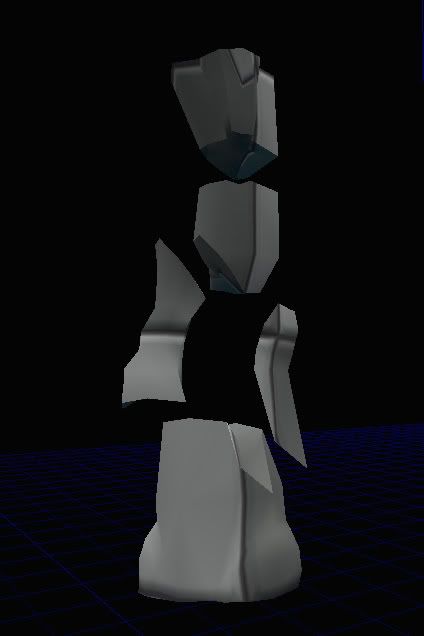
Today I discovered creating prefabs with a connected Kismet sequence. This proves to be immensely helpful, as I am dealing with breakable actors and it's a pain to place all the pieces each time. Here's what I did: create the original base mesh in 3DS Max. Then, I cut and selected proper faces where I thought would be logical for the mesh to break at. Then, I created inner faces, because it would look bad to have a piece disappear and then see through to the next ;). I placed the pivot in a good location so that they would somewhat snap in unreal, then imported. I placed them all as KActors and assigned them certain properties such as Movement>physics=None (because they would move when shot, otherwise). After they were all connected I created an interchangeable Kismet script in which I could set variables independent of the function (remote event, in Kismet) in which I called "Column_Break." With everything set up and working, I created a prefab out of the selected KActors. Unreal asked if I wanted to include the kismet script, to which I had two words to say: "heck yes!" This worked surprisingly better than I thought it would. When I placed the prefab, it had created a sequence and sub-sequence with the script and all actors set up accordingly. I cut and paste this into my own sequence to make cleaner :). I noticed how "take damage" was still local to the original Kactors and this made me sad, for a second...but then I converted the prefab to its original actors and presto, all references were updated in kismet! This has been a smooth experience with my first breakable actor, and I want to make more now.
Sunday, February 1, 2009
Mines WIP
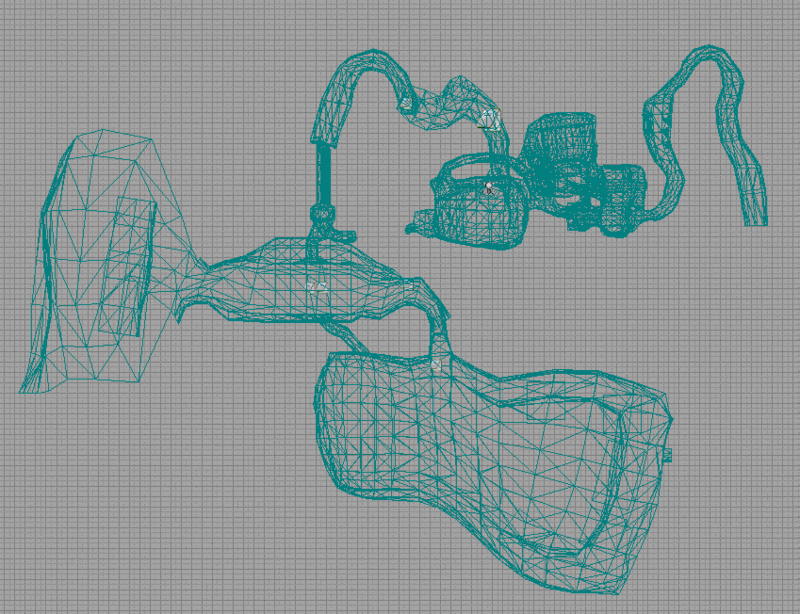
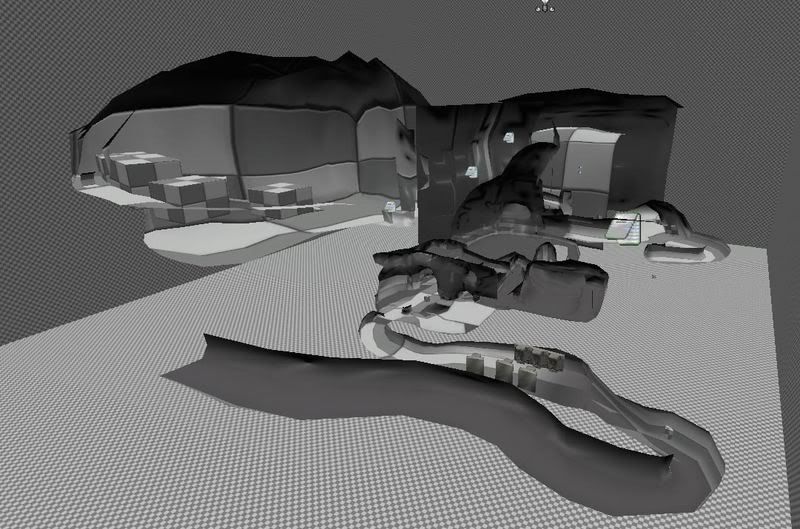
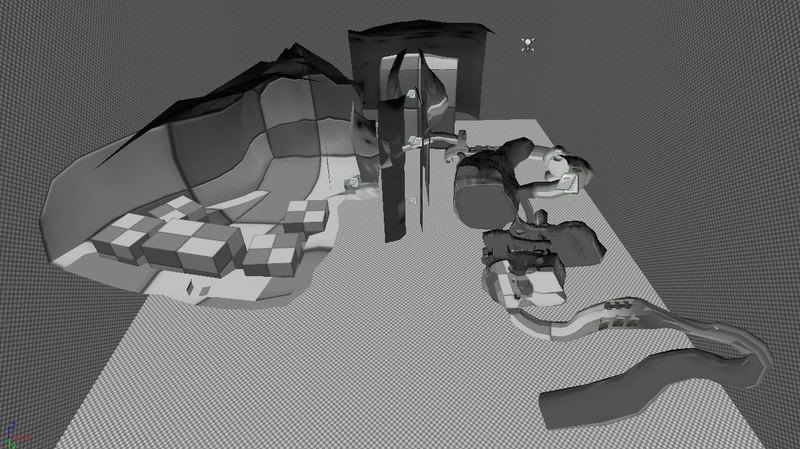
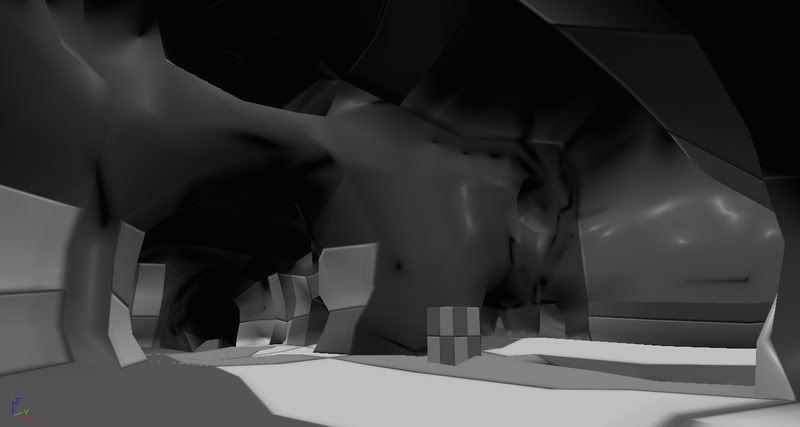
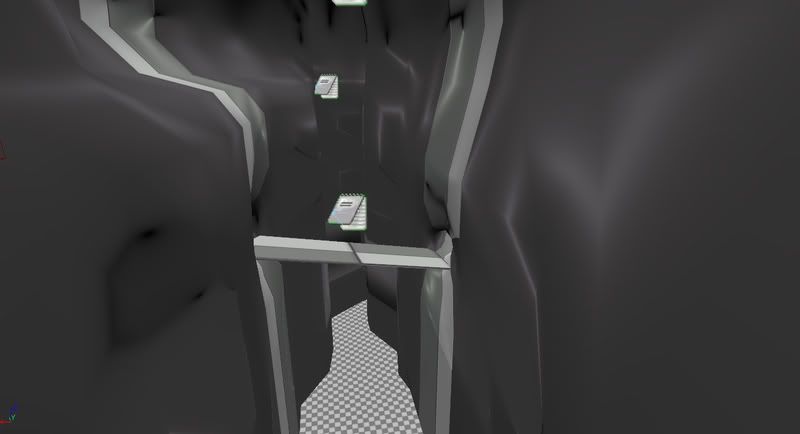
I've been starting work on a mines level for a group mod that I am apart of (serving as art director as well). The idea started with a concept drawing of mine, then a floorplan, and I've been modeling in max and importing and testing continually in Unreal, to make sure that proportions and collision are correct. I'm going to be smoothing out the surfaces some more and start adding man-made structures. Another person in the group is working on assets, and I will be placing those soon as well. Now that I have most of the level blocked out, the next step will be to start placing triggers and scripted events. Here are the current screens:
Wednesday, January 28, 2009
GDC Conference Associate
I recently applied for an associate position at the Game Developers Conference 2009 in San Francisco, CA. They've accepted me, and I couldn't be more thrilled! I was already planning on attending GDC, and now it will be an even deeper experience and I can't wait to meet all the interesting people and be informed of exciting news in the game industry. Here's a link to the GDC homepage: http://www.gdconf.com
Sunday, January 18, 2009
Skeletal Mesh Animations in the Unreal Editor
Not too long ago, I found a tutorial from the Unreal 3 forums on how to import custom animations. I decided to use this for the WWII plane that I previously modeled, as I am now going to be mostly in charge of getting the B24 project running correctly in Unreal 3. I managed to get the skeletal mesh of the plane and custom animations in, but setting up an animation tree seemed to prove tricky. I was controlling animations from within kismet, which is a really roundabout way of doing it and not advisable random animations. Here's how the plane looks (I also went back and removed a lot of unnecessary tessellations and faces to reduce the poly count).


Recently, I have been looking at Uscript and have been starting to get the hang of it more. I am working on a new mod with about eight other people, and I am in charge of level design, programming, some concept art, and some environment assets. I really look forward to how it will come out. I recently updated my website with a floorplan of the level I will be working on; the project is currently called "Overrun."
Recently, I have been looking at Uscript and have been starting to get the hang of it more. I am working on a new mod with about eight other people, and I am in charge of level design, programming, some concept art, and some environment assets. I really look forward to how it will come out. I recently updated my website with a floorplan of the level I will be working on; the project is currently called "Overrun."
Subscribe to:
Posts (Atom)